
Portfolio as an OS #3 — the window system
The little windows that open when you click an icon: state of open windows, foreground z-index, and a home-made React hook to orchestrate it all.
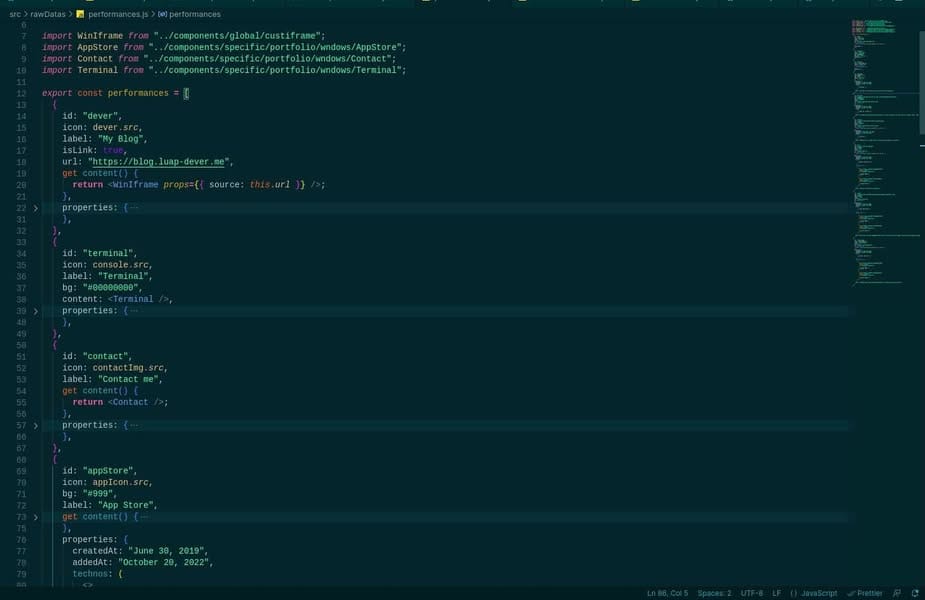
Today we're talking about the window system — those little windows that open when you click a desktop icon.
Each icon listens for a click event that calls an open function, based on the “content” attribute stored in the icon's data structure. For every window to open, I defined a state on the view: a list of objects { icon id, window (the clicked icon's attributes) }. On click, those attributes are pushed into the list, and a component renders the open windows — with a good dose of CSS.
Since a window goes through many actions (open, close, move, resize…), I built a custom React hook — something I highly recommend. Another piece of state remembers the id of the foreground window, to give it the highest z-index and bring its content in front of the others.
Several other features live inside that hook. That's it for the window system — the next post will cover the taskbar. I'm open to any comment or input. ✊🏾
![[object Object] — 2](/blog/portfolio-comme-un-os-3-systeme-fenetres-2.webp)
![[object Object] — 3](/blog/portfolio-comme-un-os-3-systeme-fenetres-3.webp)


